 Singapore
Coding classes
From unplugged activities and Scratch block coding to text-based programming on real boards.
AI · SW Education Company · Singapore
PLAYCODING Singapore teaches coding and physical computing to children and adults, with micro:bit, Arduino and robot kits in their hands from the first lesson.
PLAYCODING is a professional education company that makes computer programming easy to learn, for children and for adults. We started in Korea in 2016 and have been teaching ever since, in classrooms, at camps and at public events.
In Singapore we bring the same hands-on approach. Learners write code, plug in a board and watch something real light up, move or make a sound.
PLAYCODING Singapore is a company in its own right, established by PLAYCODING Korea. It is a separate legal entity and not a branch office. We share PLAYCODING's curriculum, teaching tools and experience.

Coding is a basic literacy. Our lessons start from zero and assume no background.
Every course ends in something the learner built and can explain.
The same quality of class for every learner, whatever their age or starting point.
Lessons, camps and the kits that go with them come from one team.
From unplugged activities and Scratch block coding to text-based programming on real boards.
Sensors, motors and lights wired to micro:bit, Arduino and Raspberry Pi.
Micro:bit Coding Camp, plus lessons we run on site for schools and venues.
The boards, robots and accessories we teach with, available from our online store.
Nine stages take a learner from playing with logic to building connected devices.


Computational thinking through games and puzzles, with no screen.
Design a small 3D game world with visual rules.
Snap blocks together to make stories, animations and games.
Meet the microcontroller: pins, circuits and a first sketch.
Read sensors and drive motors, servos and lights.
Control real hardware from familiar blocks.
A pocket-sized computer with LEDs, buttons and sensors built in.
Connect devices so they send data and respond to each other.
A full computer on one board for larger projects.

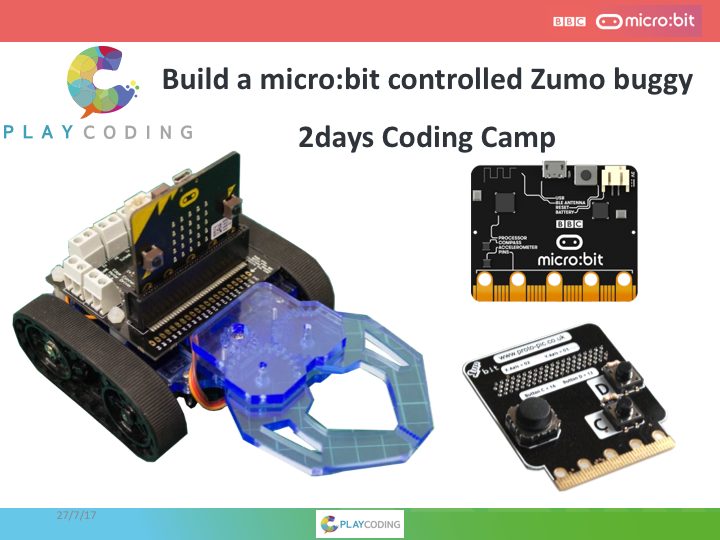
Each lesson in the camp runs for 50 minutes. Campers code the board, add motors and sensors, and finish with a working buggy.
Enquire about the campIt means building interactive systems that sense the world and respond to it, using software and hardware together. In class that is a sensor and a microcontroller feeding real-world input into a program, which then drives a motor, a servo or a light.
Every kit here is used in our own classes before it goes on the shelf.
 BBC micro:bit
The board itself and the add-ons that turn it into a robot, a buggy or a connected device.
 Robot
A coding robot that gives young learners a friendly first step into programming.
Discover TRUETRUE ↗ Arduino
Uno R3-compatible boards with 14 digital I/O pins and 6 analog inputs, Mega 2560-compatible boards with 54 digital I/O pins and 16 analog inputs, and starter kits with step-by-step projects.
 More
Construction sets for mechanics and engineering, and a single-board computer for bigger builds.


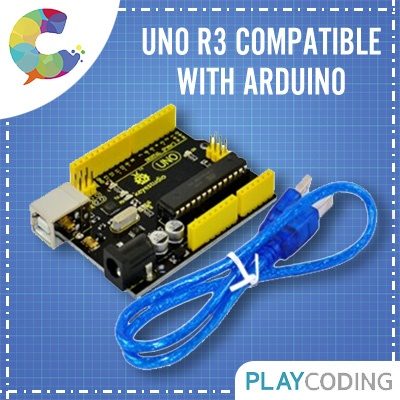


Our kits are sold through the PLAYCODING online store.
Some of the places where we have taught in Singapore.

A coding lesson held on the shop floor at TANGS department store, with children coding on laptops alongside their families.

A two-day micro:bit lesson on campus. Every pupil finished with a certificate of participation.


Our promise
Tools change every year. Curiosity, confidence and the habit of making things last much longer, so that is what we teach for.
Ask about classes, camps, school programmes or kits. Fill in the form or reach us directly.